



















Cable Tray Dynamic Block AutoCAD Free Download (2D DWG + Sizes + Details)

Download cable tray dynamic block AutoCAD files (2D DWG). Includes perforated cable tray CAD blocks, dynamic sizes, installation drawings, and hatch patterns.
Cable Tray Dynamic Block AutoCAD Free Download
If you are working on electrical or MEP drawings, having a cable tray dynamic block AutoCAD file can save a significant amount of design time.
This page provides:
✔ Cable tray dynamic block AutoCAD free download
✔ 2D cable tray DWG files
✔ Perforated cable tray CAD blocks
✔ Dynamic cable tray block sizes
✔ Cable tray installation drawings
These blocks are ideal for electrical engineers, consultants, and AutoCAD designers.
What is a Cable Tray Dynamic Block in AutoCAD?
A dynamic block in AutoCAD allows you to:
- Change cable tray width
- Adjust tray height
- Modify tray type (ladder / perforated)
- Rotate and stretch easily
Instead of using multiple blocks, a single dynamic cable tray block can handle multiple sizes and configurations.
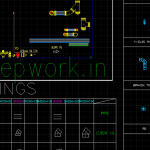
This file includes:
- straight tray
- bend tray
- vertical riser
- tee connection
Cable Tray Dynamic Block Sizes
The dynamic block includes commonly used tray sizes:
| Width (mm) | Height (mm) |
|---|---|
| 50 | 25 |
| 100 | 50 |
| 150 | 50 |
| 300 | 75 |
| 450 | 75 |
| 600 | 100 |
These are standard sizes used in electrical installations.


Perforated Cable Tray CAD Block
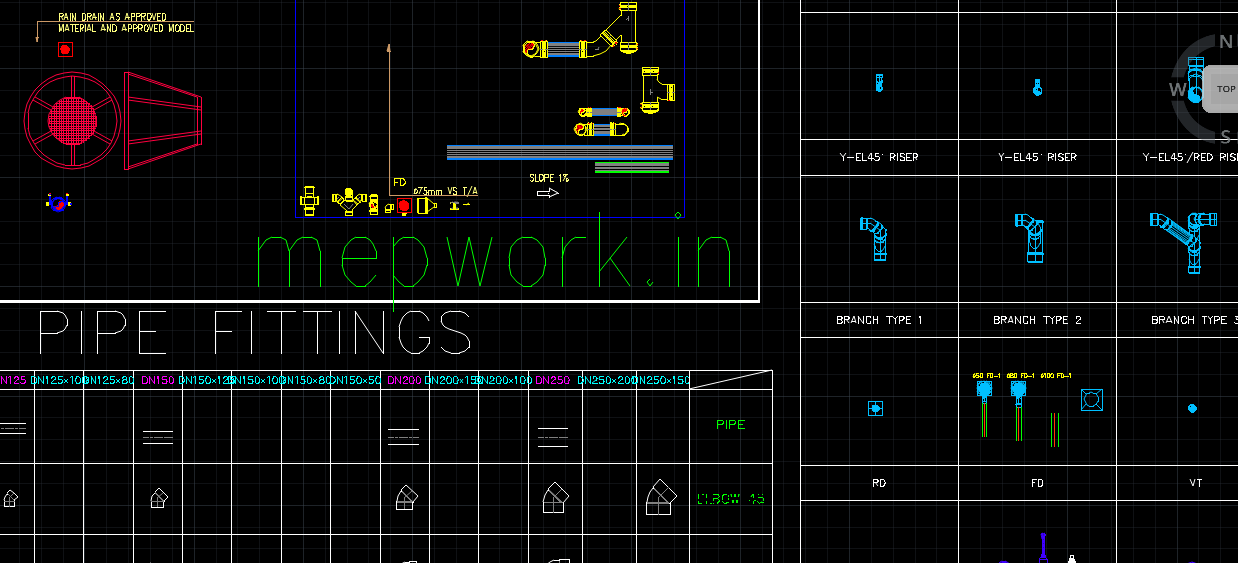
The downloadable file also includes perforated cable tray CAD blocks.
Features:
- perforation pattern
- side wall detailing
- realistic 2D representation
- lightweight CAD file
These are commonly used in:
- commercial buildings
- industrial plants
- data centers
Cable Tray Hatch Patterns
To improve drawing quality, cable tray hatch patterns are included.
Common hatch styles:
- perforated metal pattern
- ladder tray pattern
- solid tray representation
These help improve visualization in drawings.
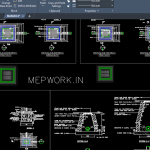
Cable Tray Installation Drawings
The CAD package also includes cable tray installation drawings.
These drawings show:
- support spacing
- wall mounting
- ceiling suspension
- tray routing
Engineers can directly use these for site execution and coordination.
Cable Tray AutoCAD Blocks for MEP Projects
Cable tray AutoCAD blocks are widely used in:
- electrical layouts
- MEP coordination drawings
- industrial wiring systems
- data cabling layouts
Using pre-made blocks reduces design time and improves accuracy.
Cable Tray LISP for AutoCAD (Automation)
You can also automate cable tray drawings using cable tray LISP AutoCAD tools.
These tools help:
- auto-generate tray layouts
- create tray routing
- reduce manual drafting time
Combining LISP with dynamic blocks makes your workflow much faster.
Dynamic Cable Tray Block Catalogue
Your download can act as a dynamic cable tray block catalogue.
Include:
- ladder tray
- perforated tray
- wire mesh tray
- trunking
This makes your website a valuable resource for engineers.
Benefits of Using Dynamic Cable Tray Blocks
✔ Save drafting time
✔ Reduce file size
✔ Improve drawing accuracy
✔ Easy modification of sizes
✔ Standardized design
Dynamic blocks are essential for modern AutoCAD workflows.
How to Use Cable Tray Dynamic Block in AutoCAD
Steps:
- Open AutoCAD
- Insert block using INSERT command
- Use grips to adjust size
- Select tray type
- Place in layout
This allows quick and flexible design.
FAQ – Cable Tray AutoCAD Blocks
Where can I download cable tray dynamic blocks for AutoCAD?
You can download cable tray dynamic block AutoCAD files from engineering resource websites like yours.
What is included in cable tray DWG files?
Cable tray DWG files include straight trays, bends, tees, risers, and installation details.
What are dynamic cable tray block sizes?
Dynamic blocks allow adjustable sizes such as 50 mm to 600 mm width trays.
How to create cable tray dynamic block in AutoCAD?
You can create dynamic blocks using parameters and actions in the AutoCAD Block Editor.

⚡Cable Tray CAD Block Free Download (DWG + Layout + Details) 951.08 KB 220 downloads
Cable Tray CAD Block Free Download ...📢 Why Download from MEPWORK?
- Free DWG files
- Ready-to-use drawings
- Designed for engineers
- Updated as per industry standards
MEPWORK.IN is developed by an MEP engineering professional with hands-on experience in building services design and execution.
The platform is created to solve real-world engineering problems and provide practical tools for faster and more accurate project work.
Download free AutoCAD DWG files for MEP engineers including plumbing, HVAC, fire alarm, and electrical systems.
All drawings are ready to use and based on industry standards.
All resources are regularly updated as per latest standards (NBC 2016, IS Codes, NFPA, and 2026 industry practices).