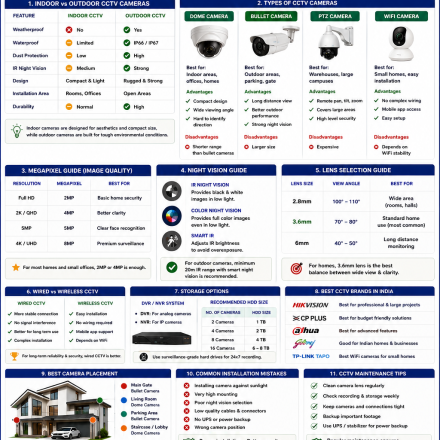


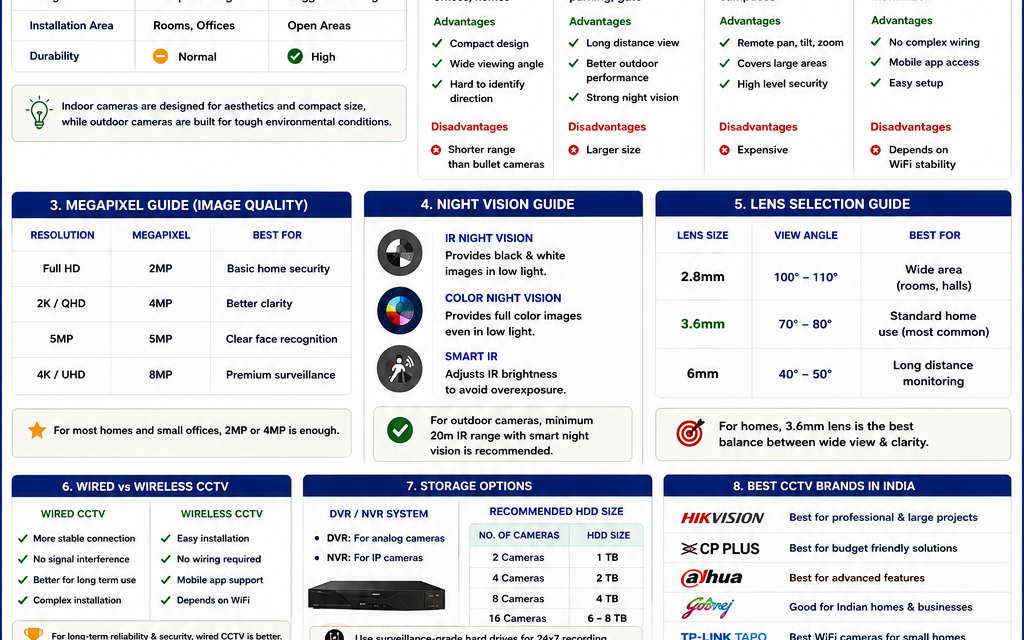








CCTV Storage Calculator (DVR & NVR HDD Size Calculation Guide)

Choosing the correct storage size for a CCTV system is extremely important for homes, offices, warehouses, apartments, shops, and industrial buildings. Many people install cameras but later realize that their DVR or NVR storage gets full very quickly.
This is why users search for:
- CCTV storage calculator
- DVR HDD size calculation
- NVR storage calculator
- CCTV hard disk size calculator
- CCTV recording storage calculation
- How much HDD is required for CCTV
In this complete guide, you will learn how CCTV storage calculation works, how to calculate DVR and NVR hard disk requirements, camera bitrate calculations, recording duration estimation, and how to choose the correct hard drive size for surveillance systems.
1. Quick Answer
The required CCTV storage depends on:
- Number of cameras
- Camera megapixel (2MP, 4MP, 5MP, 4K)
- FPS (Frames Per Second)
- Recording hours
- Compression type (H264/H265)
- Number of storage days
Basic CCTV Storage Formula
Storage=Cameras×Bitrate×Recording Time
Example
| System | Approx Storage |
|---|---|
| 4 Cameras – 15 Days | 1TB |
| 8 Cameras – 30 Days | 4TB |
| 16 Cameras – 30 Days | 8TB+ |
2. What is CCTV Storage Calculation?
CCTV storage calculation is the process of estimating how much hard disk space is required to store surveillance footage for a specific duration.
This calculation helps select:
- DVR HDD size
- NVR storage capacity
- Cloud storage plan
- Backup requirement
Without proper calculation:
- recordings may overwrite quickly
- footage may be lost
- storage costs may increase unnecessarily
3. Factors Affecting CCTV Storage
Several technical factors directly affect surveillance storage.
1. Number of Cameras
More cameras require more storage.
| Cameras | Storage Requirement |
|---|---|
| 2 Cameras | Low |
| 4 Cameras | Medium |
| 8 Cameras | High |
| 16+ Cameras | Very High |
2. Camera Resolution
Higher megapixel cameras consume more storage.
| Resolution | Approx Usage |
|---|---|
| 2MP | Low |
| 4MP | Medium |
| 5MP | High |
| 4K | Very High |
3. Frames Per Second (FPS)
FPS controls video smoothness.
| FPS | Usage |
|---|---|
| 10 FPS | Basic |
| 15 FPS | Standard |
| 25 FPS | High quality |
Higher FPS means:
More storage consumption
4. Recording Hours
Continuous 24×7 recording consumes much more storage compared to motion recording.
5. Compression Technology
Modern compression saves storage.
| Compression | Storage Efficiency |
|---|---|
| H264 | Standard |
| H265 | Better |
| H265+ | Best |
👉 H265 reduces HDD usage significantly.
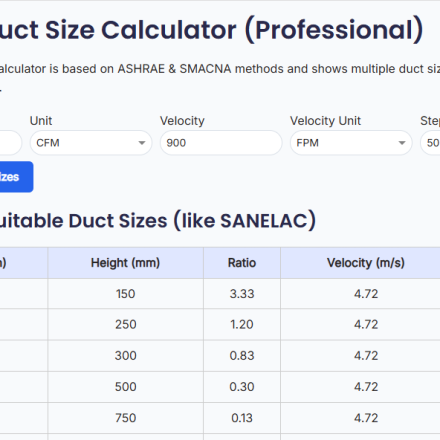
4. CCTV Storage Calculator
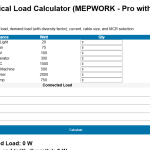
Use our advanced CCTV Storage Calculator to estimate:
✅ HDD size
✅ DVR storage
✅ NVR storage
✅ Recording days
✅ Recommended NVR type
What the Calculator Includes
- Camera quantity input
- Resolution selection
- FPS calculation
- Recording duration
- Compression selection
5. DVR vs NVR Storage
Many users get confused between DVR and NVR systems.
DVR (Digital Video Recorder)
Used for:
- Analog cameras
- Coaxial cable systems
Advantages
✅ Lower cost
✅ Easy installation
Disadvantages
❌ Lower video quality
NVR (Network Video Recorder)
Used for:
- IP cameras
- Network surveillance systems
Advantages
✅ Better image quality
✅ Remote management
✅ Smart AI features
Disadvantages
❌ Higher cost
6. CCTV Hard Disk Size Chart
| Cameras | Days | Recommended HDD |
|---|---|---|
| 4 Cameras | 15 Days | 1TB |
| 4 Cameras | 30 Days | 2TB |
| 8 Cameras | 30 Days | 4TB |
| 16 Cameras | 30 Days | 8TB |
7. CCTV Storage Calculation Example
Example 1 – Home CCTV System
Setup
- 4 Cameras
- 2MP Resolution
- 15 FPS
- 24 Hours recording
- H265 Compression
- 15 Days retention
Result
Approximate storage:
✅ 1TB HDD
Example 2 – Office CCTV System
Setup
- 8 Cameras
- 4MP Cameras
- 24×7 Recording
- 30 Days backup
Result
Recommended:
✅ 4TB HDD
8. Best HDD for CCTV Systems
Normal computer hard disks are NOT ideal for CCTV systems.
Recommended Surveillance HDD
| Brand | Best Series |
|---|---|
| WD | Purple |
| Seagate | SkyHawk |
| Toshiba | Surveillance HDD |
Why Surveillance HDD is Better
✅ 24×7 operation
✅ Better reliability
✅ Heat resistance
✅ Continuous recording support
9. Motion Recording vs Continuous Recording
This significantly affects storage.
Motion Recording
Advantages:
✅ Saves HDD space
✅ Longer backup duration
Disadvantages:
❌ May miss small events
Continuous Recording
Advantages:
✅ Full recording coverage
Disadvantages:
❌ High storage usage
10. How Many Days of Recording Do You Need?
This depends on application type.
| Application | Recommended Backup |
|---|---|
| Home | 7–15 Days |
| Office | 15–30 Days |
| Bank | 60–90 Days |
| Industrial | 30–60 Days |
11. Best CCTV Camera Resolution for Storage Efficiency
2MP Cameras
Best for:
- Homes
- Small offices
Storage efficient and affordable.
4MP Cameras
Best for:
- Shops
- Parking
- Commercial areas
Better face clarity.
4K Cameras
Best for:
- Airports
- Warehouses
- Industrial zones
Requires very high storage.
12. Common CCTV Storage Mistakes
Avoid these common mistakes:
❌ Buying low-quality HDD
❌ Ignoring compression settings
❌ Using desktop HDD instead of surveillance HDD
❌ No backup planning
❌ Overloading DVR/NVR
13. CCTV Storage Optimization Tips
To reduce storage usage:
✅ Use H265 compression
✅ Reduce FPS if not required
✅ Enable motion recording
✅ Use proper camera positioning
14. CCTV Storage Calculator for Home
Most Indian homes require:
| Cameras | Recommended HDD |
|---|---|
| 2 Cameras | 500GB–1TB |
| 4 Cameras | 1TB |
| 8 Cameras | 2TB–4TB |
15. CCTV Storage Calculator for Commercial Buildings
Commercial buildings generally require:
- 30 days backup
- Higher resolution
- Multiple cameras
📊 Storage Calculation Result
| Camera Count | Recommended NVR |
|---|---|
| 1 – 4 Cameras | 4 Channel NVR |
| 5 – 8 Cameras | 8 Channel NVR |
| 9 – 16 Cameras | 16 Channel NVR |
| 17 – 32 Cameras | 32 Channel NVR |
Recommended Setup
| Building | HDD |
|---|---|
| Shop | 2TB |
| Office | 4TB |
| Warehouse | 8TB |
| Apartment | 16TB |
16. Recommended CCTV Brands
| Brand | Best For |
|---|---|
| Hikvision | Professional use |
| Dahua | Commercial projects |
| CP Plus | Budget homes |
| TP-Link Tapo | WiFi cameras |
17. FAQ
What is CCTV storage calculator?
👉 A tool used to estimate HDD size required for DVR and NVR systems.
How much storage does a 4-camera CCTV system need?
👉 Usually 1TB for 15–30 days depending on recording settings.
Which HDD is best for CCTV?
👉 WD Purple and Seagate SkyHawk are best surveillance HDDs.
Is H265 better than H264?
👉 Yes, H265 saves more storage while maintaining video quality.
How many days should CCTV footage be stored?
👉 Most homes use 7–15 days while commercial buildings use 30 days or more.
18. Internal Links
👉 Related Pages:
- CCTV Camera Buying Guide
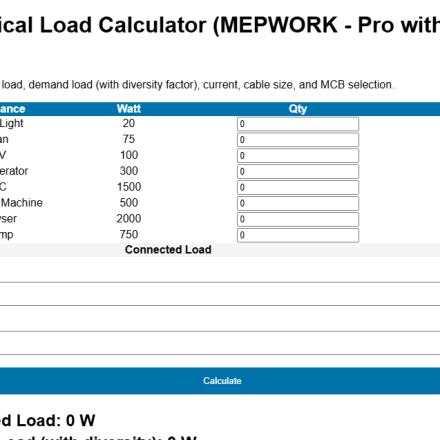
- Electrical Load Calculator
- Cable Size Calculator
- FR vs FRLS Cable Guide
- Earthing Pit Drawing DWG
19. Use Our Advanced CCTV Storage Calculator
Our CCTV HDD calculator helps engineers, homeowners, security consultants, and contractors estimate DVR/NVR storage requirements accurately based on camera quantity, recording hours, FPS, and compression type.
It is useful for:
✅ Homes
✅ Offices
✅ Shops
✅ Warehouses
✅ Apartments
✅ Commercial buildings
📢 Why Download from MEPWORK?
- Free DWG files
- Ready-to-use drawings
- Designed for engineers
- Updated as per industry standards
MEPWORK.IN is developed by an MEP engineering professional with hands-on experience in building services design and execution.
The platform is created to solve real-world engineering problems and provide practical tools for faster and more accurate project work.
Download free AutoCAD DWG files for MEP engineers including plumbing, HVAC, fire alarm, and electrical systems.
All drawings are ready to use and based on industry standards.
All resources are regularly updated as per latest standards (NBC 2016, IS Codes, NFPA, and 2026 industry practices).